
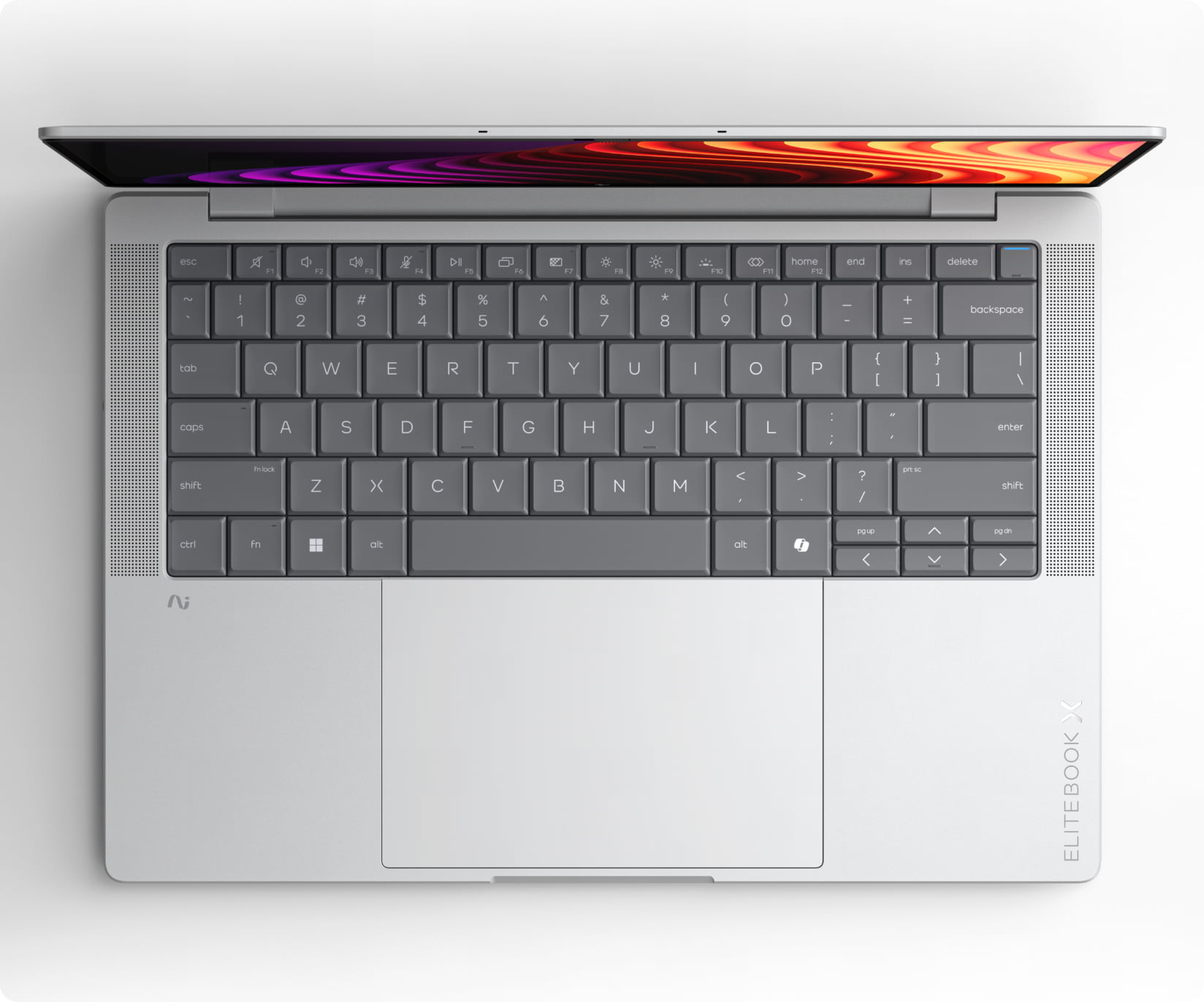
HP EliteBook Laptops: A Guide for Business and Everyday Use
An HP EliteBook laptop is designed primarily for business users, but its blend of portability, performance and security can also suit students and home users who want a well-equipped computer. The EliteBook name covers a wide range of models, so features and performance depend on the specific generation and configuration.
What is an HP EliteBook?
HP’s EliteBook range includes premium business laptops in several sizes and formats. Depending on the model, you might find a traditional clamshell laptop, a convertible with a touchscreen, or a larger mobile workstation-style device. Many EliteBooks are built for frequent travel and daily office use, with features intended to make working on the move more convenient.
Models are often identified by a series name, such as the EliteBook 800 or 1000 series, followed by a screen size or generation number. Because HP updates the range regularly, check the full model number and specifications before buying rather than relying on the EliteBook name alone.
Key features to look for
- Processor: EliteBooks are available with different processors, depending on the model and year. Choose one suited to your workload, whether that is web browsing and documents or more demanding business software.
- Memory and storage: RAM affects how smoothly you can run several applications at once, while an SSD helps with start-up times and file access. Some models may allow upgrades, while others have components that are difficult or impossible to replace.
- Screen: Screen sizes, resolutions, brightness levels and touch options vary. A compact display can be easier to carry, while a larger screen may be more comfortable for spreadsheets and extended working sessions.
- Battery life: Battery performance depends on the configuration, software and type of use. Check independent reviews and remember that a used laptop’s battery may not perform like a new one.
- Ports and connectivity: Compare the available USB, video and audio connections with the devices you use. Some configurations may include USB-C or Thunderbolt ports, but availability varies.
- Security: Many EliteBook models include business-focused security features. The exact options can differ, so check the specification for features such as a fingerprint reader, camera privacy shutter or smart card reader.
- Build and portability: Weight, materials and durability vary between models. If you travel regularly, check the laptop’s dimensions and weight as well as its construction.
Performance for work and study
An HP EliteBook can handle everyday tasks such as email, video calls, browsing, document editing and presentations. Higher-specification models may also suit heavier multitasking or specialist applications, but the name alone does not guarantee a particular level of performance. For demanding work, compare the processor, memory, graphics and cooling design of the exact configuration.
For video meetings, check the webcam, microphones and speakers, as these can differ between generations. A good keyboard and touchpad can also make a noticeable difference if you spend much of the day writing or working without an external monitor.
Buying a new or refurbished EliteBook
EliteBooks are sold in different configurations, and older models are commonly available refurbished. A refurbished laptop can offer good value, but check the condition, warranty and returns policy before purchasing. Ask whether the battery has been tested, whether the charger is included and whether the device has a clean installation of its operating system.
Before choosing a model, consider:
- What applications you need to run
- How much memory and storage you require
- Whether you need a touchscreen or convertible design
- Which ports and wireless connections you use
- How important weight and battery life are
- Whether the laptop is compatible with your organisation’s software and security requirements
- The warranty, condition and support available from the seller
Is an HP EliteBook right for you?
An HP EliteBook may be a good choice if you want a laptop aimed at professional use, with a range of sizes and configurations to choose from. It can work well for office tasks, remote working and study, provided you select a model with suitable specifications. Compare the exact model number, condition and price with other laptops in the same category, and check the manufacturer’s documentation for details about its features and upgrade options.
HP EliteBook Laptops: Frequently Asked Questions About Age, Reliability, Lifespan and Features
- How old is an HP EliteBook laptop?
- What are the common problems with HP EliteBook laptops?
- Is HP EliteBook a good laptop?
- How long will an HP EliteBook last?
- What is the difference between EliteBook and laptop?
- Is the HP EliteBook a good laptop?
How old is an HP EliteBook laptop?
An HP EliteBook can be anywhere from brand new to more than a decade old, as HP has released many models over the years. The model number and generation can help you identify its age; check the label on the laptop or its system information, then look up the model on HP’s support website. If you’re buying a used EliteBook, also check when it was first sold, whether it still receives operating-system and security updates, and the condition of its battery.
What are the common problems with HP EliteBook laptops?
Common problems with HP EliteBook laptops can include battery wear, overheating or fan noise, slow performance, Wi‑Fi or Bluetooth connection issues, and occasional keyboard, touchpad or screen faults. Some problems are specific to a model or age, while others may result from outdated drivers, software conflicts or heavy use. If you’re considering a used EliteBook, check the battery condition, ports, display and keyboard, and look up reports for the exact model. Regular updates and keeping the vents clear can help prevent some issues; persistent faults may require professional repair.
Is HP EliteBook a good laptop?
Yes, an HP EliteBook can be a good laptop, particularly for business, study and everyday work. Many models offer a sturdy design, comfortable keyboards and useful security features, although specifications and build quality vary between generations and configurations. Before buying, check the exact model’s processor, memory, battery condition, screen and warranty to make sure it suits your needs and budget.
How long will an HP EliteBook last?
An HP EliteBook can last around four to six years with regular use, although its lifespan depends on the model, workload and how well it is cared for. Keeping the software updated, protecting the laptop from knocks and heat, and replacing a worn battery can help extend its useful life. Older models may continue working beyond this, but could become slower or stop receiving operating system and security updates, so check support for the specific model.
What is the difference between EliteBook and laptop?
An EliteBook is a type of laptop made by HP, rather than a separate category of computer. The name refers to HP’s business-focused range, which often includes features such as enhanced security, a sturdy design and options suited to professional use. “Laptop” is the general term for any portable computer, so it covers EliteBooks as well as models from other HP ranges and manufacturers. Features vary by model and year, so check the specifications of the particular EliteBook you’re considering.
Is the HP EliteBook a good laptop?
Yes, the HP EliteBook is generally a good laptop, particularly for business, study and everyday productivity. Many models offer a sturdy design, comfortable keyboard, useful security features and solid performance, although specifications vary between generations and configurations. Before buying, check the exact model’s processor, memory, storage, battery condition and warranty to make sure it suits your needs.