
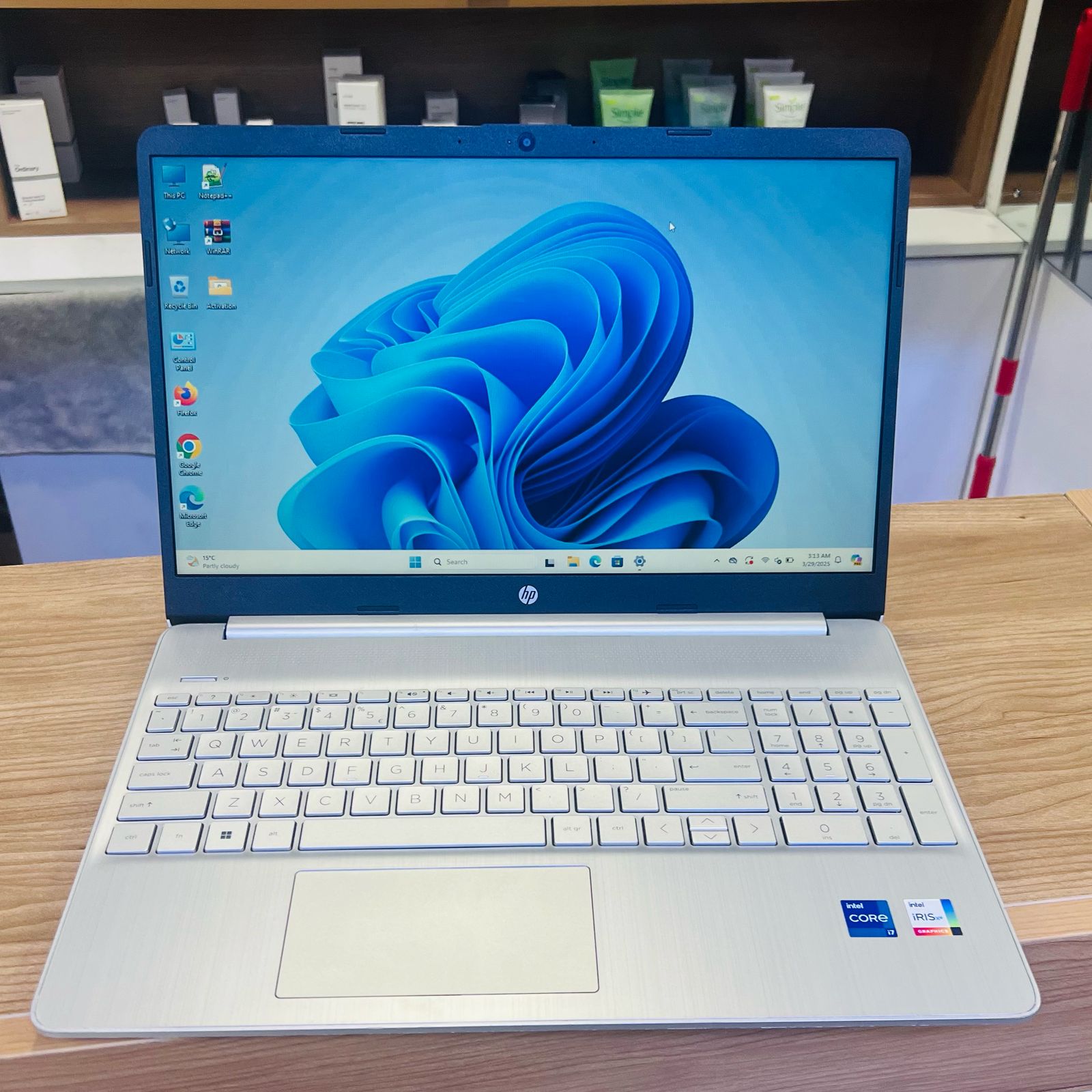
HP 15 Laptop: A Practical Choice for Everyday Computing
The HP 15 is a range of 15.6-inch laptops designed for everyday use. Depending on the model, it can suit tasks such as browsing the web, writing documents, attending video calls, studying and streaming films. HP offers different configurations, so the processor, memory, storage, screen and other features can vary between models.
Designed for everyday tasks
With its larger screen, an HP 15 can be comfortable to use for work, study and entertainment. It is typically more spacious than a compact laptop, making it easier to view documents and keep several windows open. Many versions also include a full-size keyboard, with a numeric keypad on some models.
Performance depends on the exact specification. Entry-level configurations may be suitable for web browsing, email and office applications, while models with a more powerful processor and additional memory can handle heavier multitasking more smoothly. For demanding creative work or modern games, check the specification carefully and consider whether a dedicated graphics card is needed.
Screen, storage and connectivity
HP 15 laptops are available with different screen resolutions and display features. If you regularly work with text or watch video, compare screen resolution, brightness and viewing angles before buying. A Full HD display can provide more detail than a lower-resolution option, although specifications vary by model.
Storage is another important consideration. Solid-state drives (SSDs) generally help a laptop start up and open applications quickly. Check the drive capacity against your needs, particularly if you plan to store large files, photos or videos. Ports and wireless features can also differ, so review the product listing if you need to connect an external monitor, accessories or wired network.
Battery life and portability
A 15.6-inch laptop offers a useful balance between screen size and portability, but it may be less convenient to carry than a smaller model. Battery life varies with the configuration, battery condition, screen brightness and the tasks being performed. If you expect to work away from a power socket, look for independent battery tests or real-world reviews of the specific model.
What to check before buying
- Processor: Choose a specification suited to your everyday workload and multitasking needs.
- Memory: More memory can help when running several applications at once. Check whether it can be upgraded.
- Storage: Compare SSD capacity and consider how much room you need for files and applications.
- Display: Check the resolution, brightness and finish, especially if you will use the laptop for long periods.
- Ports: Make sure the laptop has the connections you need for monitors and other devices.
- Exact model number: HP 15 is a family of laptops, not one single specification. Compare the full model number and listing details.
Is the HP 15 right for you?
An HP 15 laptop may be a good fit if you want a general-purpose computer with a roomy screen for everyday tasks. It can be suitable for home use, school or office work, depending on its configuration. Compare the exact specifications, price, warranty and reviews before choosing, as features and performance can differ significantly across the HP 15 range.
Essential FAQs About the HP 15 Laptop: Features, Usability, Battery Life, Upgrades, Display Quality, and Specifications
- What are the key features of the HP 15 laptop?
- Is the HP 15 laptop suitable for work, study and everyday use?
- How long does the battery last on an HP 15 laptop?
- Can the memory or storage in an HP 15 laptop be upgraded?
- Does the HP 15 laptop have a Full HD screen?
- How do I find the exact specifications for my HP 15 laptop model?
What are the key features of the HP 15 laptop?
The HP 15 laptop is a range of 15.6-inch computers designed for everyday tasks such as browsing, studying, office work and streaming. Key features vary by model but may include an Intel or AMD processor, a Full HD display, SSD storage, a full-size keyboard and a selection of USB, HDMI and wireless connectivity options. Before buying, check the exact model’s memory, processor, screen specification, ports and battery-life claims, as these can differ across the range.
Is the HP 15 laptop suitable for work, study and everyday use?
Yes, the HP 15 laptop can be suitable for work, study and everyday use, including tasks such as browsing, writing documents, video calls and streaming. Performance varies between models, so check the processor, memory and storage to make sure they meet your needs. For demanding software, creative work or gaming, choose a higher-specification model and check its graphics capability.
How long does the battery last on an HP 15 laptop?
Battery life on an HP 15 laptop varies by model and how you use it. Tasks such as web browsing and writing documents generally use less power than video streaming or gaming, while screen brightness, battery age and background apps also affect runtime. Check the specifications and independent reviews for the exact model, and treat advertised battery life as an estimate rather than a guarantee.
Can the memory or storage in an HP 15 laptop be upgraded?
Whether you can upgrade the memory or storage in an HP 15 laptop depends on the exact model and configuration. Some models have replaceable RAM or an accessible SSD, while others have memory soldered to the motherboard or limited upgrade options. Check the laptop’s product number and HP’s maintenance and service guide before buying parts or opening the case, and confirm that any replacement is compatible.
Does the HP 15 laptop have a Full HD screen?
Some HP 15 laptops have a Full HD screen (1,920 × 1,080 pixels), while others come with a lower-resolution display. Screen specifications vary by model and configuration, so check the product listing or full model number before buying if Full HD is important to you.
How do I find the exact specifications for my HP 15 laptop model?
To find the exact specifications for your HP 15 laptop, locate its full product name or model number, usually shown on a label on the underside of the laptop or in the system information. You can also open the HP Support website and enter the product or serial number to view the matching specifications and support documents. In Windows, search for “System Information” to check details such as the processor and installed memory, then compare these with HP’s product information for your exact model, as specifications can vary across the HP 15 range.