
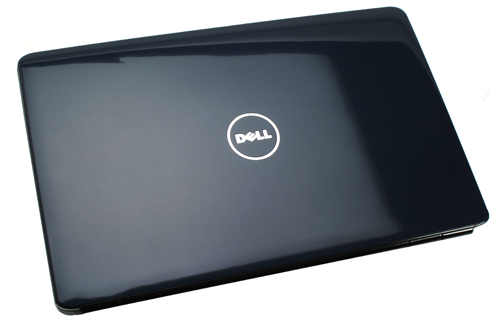
Dell Inspiron: A Guide to Dell’s Everyday Computers
Dell Inspiron is a long-running family of laptops and desktop computers designed for everyday use. Over the years, the range has included models for home, study and office tasks, with options spanning basic computing through to more capable configurations for demanding work.
Dell has since simplified the names it uses for its consumer computers, so newer models may be sold under the Dell name rather than as Inspiron. The Inspiron name remains familiar, and availability of older or refurbished models varies between retailers.
What can you use a Dell Inspiron for?
Most Inspiron computers are intended for common tasks such as browsing the web, video calls, streaming, writing documents and managing everyday household or study work. Higher-specification models may also suit photo editing, multitasking and other more resource-intensive applications. Their capabilities depend on the particular processor, memory, graphics and storage included, so it is worth checking the full specification rather than relying on the model name alone.
Laptops and desktops
Inspiron laptops offer a portable option for people who need to work or study in different places. Depending on the model, features may include a touchscreen, a convertible design or a larger display. Screen size, weight, port selection and battery life can differ considerably across the range.
Inspiron desktop computers are designed for a fixed workspace. They can be a practical choice if you prefer a larger monitor, a full-sized keyboard or a computer that stays in one place. Some desktops are sold as all-in-one systems, with the computer components built into the display; others use a separate tower or compact case.
What to consider before buying
- Processor: Choose one suited to the work you expect to do, especially if you regularly run several demanding applications at once.
- Memory: More memory can help with multitasking. Check whether it can be upgraded later, as this varies by model.
- Storage: Consider how much space you need for documents, photos, software and other files. Solid-state storage can help a computer start and load applications quickly.
- Display: Look at the screen size, resolution, brightness and finish. A touchscreen is useful to some people but may not be essential for everyday computing.
- Battery and portability: If you plan to travel with a laptop, compare its weight and read reviews that discuss real-world battery life.
- Connections: Check that the computer has the ports you need for accessories, external displays and storage devices.
- Price and support: Compare specifications and warranty terms across retailers, and check the return policy before purchasing.
Is a Dell Inspiron right for you?
A Dell Inspiron may be worth considering if you want a familiar, general-purpose computer and can find a model with specifications that suit your needs and budget. The range is broad, so two computers carrying the Inspiron name may offer quite different performance and features. Comparing the exact specifications is more useful than choosing on the brand name alone.
Whether you are considering a new Dell computer or a refurbished Inspiron, check the model number, condition, included accessories and warranty details before you buy. These details can help you decide whether it is the right fit for your home, studies or work.
Dell Inspiron FAQs: Models, Everyday Use, Specifications and Troubleshooting
- What is a Dell Inspiron laptop?
- Is a Dell Inspiron good for everyday use, work or study?
- Which Dell Inspiron model should I buy?
- How do I find the model and specifications of my Dell Inspiron?
- How can I fix common problems with a Dell Inspiron?
What is a Dell Inspiron laptop?
A Dell Inspiron laptop is a portable computer from Dell’s Inspiron range, designed mainly for everyday tasks such as browsing the web, writing documents, attending video calls and streaming. Models vary in screen size, performance, features and price, so it’s best to check the specifications of a particular laptop to see whether it suits your needs.
Is a Dell Inspiron good for everyday use, work or study?
Yes, a Dell Inspiron can be a good choice for everyday use, work or study, including browsing, writing documents, video calls and streaming. However, performance and features vary between models, so check the processor, memory, storage, battery life and screen size against the tasks you need to do. For demanding software or heavy multitasking, a higher-specification model may be more suitable.
Which Dell Inspiron model should I buy?
The right Dell Inspiron model depends on how you plan to use it and your budget. For browsing, email, streaming and basic study or office work, an entry-level configuration may be sufficient; for frequent multitasking, creative work or demanding applications, look for a faster processor, more memory and ample solid-state storage. Compare the exact specifications, screen size, battery life, ports and warranty, as features vary between models, and choose the one that best matches your needs.
How do I find the model and specifications of my Dell Inspiron?
To find your Dell Inspiron’s model, check the label on the underside of the laptop or the rear of the desktop, or look up its Service Tag on Dell Support. In Windows, you can also search for “System Information” to see details such as the model, processor and installed memory. For the full specification, enter the Service Tag or model name on Dell’s support website; the exact components can vary between computers with the same model name.
How can I fix common problems with a Dell Inspiron?
To fix common problems with a Dell Inspiron, start by restarting the computer and checking that Windows and your drivers are up to date. If it is running slowly, close unused apps, check available storage and run a malware scan. For Wi-Fi or sound issues, confirm the relevant settings and try reconnecting or restarting the device. If the battery is not charging, check the power cable and adapter, and inspect the charging port for damage. Dell SupportAssist can help diagnose hardware and software faults; you can also run the built-in diagnostics from the start-up menu. Back up important files before attempting major repairs, and contact Dell Support or a qualified technician if the problem persists or involves damaged hardware.