
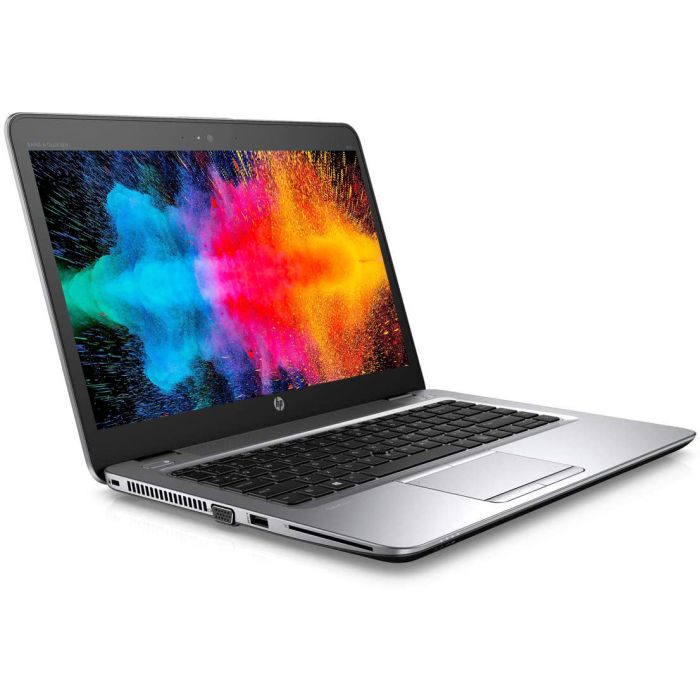
Choosing an HP i7 Laptop: A Practical Buying Guide
An HP i7 laptop can be a strong choice for work, study and entertainment. HP offers laptops in a range of sizes and styles, while Intel Core i7 processors are designed to handle demanding everyday tasks and more intensive workloads. The right model depends on how you plan to use it, as specifications and features vary between HP ranges.
What does “i7” mean?
“i7” refers to a tier of Intel Core processor, not a complete description of a laptop’s performance. The processor generation and specific model matter, too. A newer Core i7 may offer different performance and efficiency from an older one, so check the full processor name rather than relying on the i7 label alone.
For general browsing, emails and document editing, an i7 processor may be more powerful than you need. It can be useful, however, if you regularly work with large spreadsheets, edit photos or videos, run several demanding applications, or want extra performance for multitasking.
HP laptop ranges to consider
HP’s line-up changes over time, but its laptops generally cover several kinds of use:
- Everyday laptops: Suitable for browsing, streaming, study and routine office work.
- Envy models: Often aimed at users who want a more premium design and features for creative or general use.
- Spectre models: Typically positioned as premium laptops, with selected models offering convertible designs and high-resolution displays.
- OMEN and Victus models: Gaming-focused options, where graphics performance and cooling are important alongside the processor.
- Business laptops: Designed for professional use, with features that can include enhanced security and connectivity options.
Names and specifications differ by model and year, so compare the exact product details before buying.
Key features to check
Memory and storage
For comfortable multitasking, look for at least 16GB of RAM if your budget allows, particularly for creative work or demanding applications. An SSD makes a laptop feel more responsive and helps it start up and load files quickly. Check the storage capacity, too: 512GB may suit many users, while larger files, games and video projects can call for more space.
Display and size
A 13- or 14-inch laptop is usually easier to carry, while a 15- or 16-inch screen can be more comfortable for working across several windows. Check the resolution, brightness and screen finish, especially if you work outdoors or spend long periods reading. Touchscreen and convertible features are available on some models, but may not be necessary for everyone.
Graphics
Many laptops use graphics built into the processor, which are suitable for everyday tasks and some light creative work. For modern games, 3D design or heavier video editing, consider a model with a dedicated graphics card. This can increase the price and weight, and may reduce battery life under demanding use.
Battery life and portability
Battery performance depends on the model, screen, settings and workload. Look for independent reviews as well as the manufacturer’s estimates, and consider the laptop’s weight and charger size if you will carry it regularly.
Ports, webcam and keyboard
Check that the laptop has the connections you need, such as USB-A, USB-C, HDMI or a headphone socket. A comfortable keyboard, reliable webcam and clear speakers can make a noticeable difference for remote work and online learning.
Is an HP i7 laptop right for you?
An HP laptop with an Intel Core i7 processor may suit users who need responsive performance for multitasking, professional applications or creative projects. It may be unnecessary for simple browsing and word processing, where a less powerful and less expensive model could be sufficient.
Before choosing, compare the processor generation, RAM, storage, display, graphics, battery performance and warranty. Reading reviews of the exact model can also help reveal details that a specification list may not show, such as fan noise, keyboard comfort and real-world battery life.
Final thoughts
The best HP i7 laptop is the one that matches your workload, budget and preferred size. Focus on the complete specification rather than the processor label alone, and compare several models before making a decision. That way, you can choose a laptop with the performance and features you will actually use.
Top 8 Advantages of Choosing an HP i7 Laptop for Versatile Performance and Budget-Friendly Options
- Strong performance for demanding everyday tasks
- Handles multitasking smoothly
- Suitable for work, study and entertainment
- Wide choice of HP models and screen sizes
- Fast SSD storage available on many models
- Good options for creative applications
- Some models offer dedicated graphics
- Plenty of configurations to suit different budgets
7 Potential Drawbacks of HP i7 Laptops to Consider
- Can be more expensive than an i5 model.
- Battery life varies and may be limited under heavy use.
- Some models can get warm during demanding tasks.
- Fan noise may increase under load.
- Dedicated graphics are not included on every model.
- Upgrades may be limited on some models.
- Performance depends on the processor generation and full specification.
Strong performance for demanding everyday tasks
An HP laptop with an Intel Core i7 processor can deliver strong performance for demanding everyday tasks, from running multiple applications at once to managing large spreadsheets and video calls. It can also handle photo editing, heavier web use and other processor-intensive work smoothly, making it a practical choice for people who want a responsive laptop for work, study and home use. Actual performance will depend on the processor generation and the laptop’s other specifications, such as memory and cooling.
Handles multitasking smoothly
An HP laptop with an Intel Core i7 processor can handle multitasking smoothly, making it easier to switch between work documents, web browsers, video calls and other applications. Paired with sufficient memory, it can keep everyday tasks running responsively and help you stay productive without constant delays.
Suitable for work, study and entertainment
An HP laptop with an Intel Core i7 processor can be a versatile choice for work, study and entertainment. It can handle everyday tasks such as writing documents, joining video calls and researching online, while offering the performance for multitasking and more demanding applications. When it’s time to relax, you can use it to stream films, browse the web or enjoy compatible games. Actual performance depends on the laptop’s full specifications, including its memory, graphics and display.
Wide choice of HP models and screen sizes
One of the advantages of choosing an HP i7 laptop is the wide choice of models and screen sizes. Whether you need a compact laptop that’s easy to carry, a larger display for work and entertainment, or a versatile convertible for different tasks, HP’s range offers options to suit a variety of needs and budgets. This makes it easier to find a laptop with the right balance of portability, screen space and features.
Fast SSD storage available on many models
Many HP laptops with Intel Core i7 processors come with fast SSD storage, helping the computer start up quickly and applications load with minimal delay. An SSD can also make everyday tasks, such as opening files and switching between programmes, feel more responsive. Storage capacity and speed vary by model, so check the specifications to find one that suits your needs.
Good options for creative applications
HP laptops with Intel Core i7 processors can be a good option for creative applications such as photo editing, graphic design and video production. Their processing power helps with demanding software and multitasking, while models with ample RAM, fast SSD storage and a dedicated graphics card can make creative workflows smoother. Specifications vary, so check that the particular laptop meets the requirements of your preferred apps.
Some models offer dedicated graphics
Some HP laptops with Intel Core i7 processors are available with dedicated graphics, which can provide extra performance for tasks such as gaming, video editing and graphic design. The benefits vary by model, so check the graphics card specification and reviews to make sure it suits the applications you plan to use.
Plenty of configurations to suit different budgets
One of the advantages of an HP i7 laptop is the wide choice of configurations available to suit different budgets and needs. You can compare models with different screen sizes, memory, storage, graphics and features, then choose the combination that offers the best value for your work, study or entertainment. This variety makes it easier to find a laptop with the performance you need without paying for extras you are unlikely to use.
Can be more expensive than an i5 model.
One potential drawback of an HP laptop with an Intel Core i7 processor is its higher price compared with a similar i5 model. If you mainly use your laptop for browsing, emails and basic office tasks, the extra cost may not bring a noticeable improvement in everyday performance. Compare the specifications and consider whether you really need the additional processing power before choosing.
Battery life varies and may be limited under heavy use.
Battery life on an HP i7 laptop can vary considerably between models and may be limited when the processor is handling demanding tasks. Gaming, video editing, running multiple applications or using a bright display can drain the battery quickly, so you may need to recharge more often or keep the charger nearby during intensive work.
Some models can get warm during demanding tasks.
Some HP i7 laptops can become warm during demanding tasks, such as gaming, video editing or running several intensive applications at once. The fans may also become louder as they work to cool the system. How noticeable this is depends on the specific model, its cooling design and how it is used, so checking reviews of the exact laptop can help set expectations.
Fan noise may increase under load.
One potential drawback of an HP i7 laptop is that its fan noise may increase when the processor is under heavy load, such as during gaming, video editing or running demanding applications. The cooling system works harder to manage heat, which can be distracting in quiet settings. Fan noise varies between models and workloads, so checking reviews of the specific laptop can help set expectations.
Dedicated graphics are not included on every model.
Not every HP i7 laptop includes a dedicated graphics card. Some models rely on graphics built into the processor, which is generally suitable for everyday tasks but may struggle with demanding games, 3D design or intensive video editing. If you need stronger graphics performance, check the exact model’s specifications before buying, as choosing a version with a dedicated GPU may cost more and affect battery life.
Upgrades may be limited on some models.
One potential drawback of an HP i7 laptop is that upgrade options can be limited on some models. Components such as memory may be soldered to the motherboard, while compact designs can make storage or other parts difficult to replace. This means it is worth checking the laptop’s upgradeability before buying and choosing enough memory and storage to meet your needs over time.
Performance depends on the processor generation and full specification.
An HP i7 laptop’s performance depends on more than the “Core i7” label. Processor generation and model can make a significant difference, while factors such as RAM, storage and graphics also affect how well it handles demanding tasks. As a result, two HP laptops with i7 processors may offer noticeably different performance, so check the full specifications before choosing a model.