
Best ASUS Laptop: Top Picks for Work, Study, Creativity and Gaming
ASUS makes laptops for a wide range of budgets and needs, from light, portable Zenbooks to powerful ROG gaming machines. That variety is useful, but it can make choosing the right model tricky: the same laptop family may include several screen sizes, processors and memory configurations.
For most people, an ASUS Zenbook 14 OLED is a strong place to start. It combines a portable design with a sharp display and enough performance for everyday work, study and entertainment. If you need a laptop for gaming, video editing or a tighter budget, another ASUS range may be a better fit.
Best ASUS laptops at a glance
- Best all-rounder: ASUS Zenbook 14 OLED
- Best premium ultraportable: ASUS Zenbook S 14
- Best for gaming: ASUS ROG Zephyrus G14
- Best for creative work: ASUS ProArt P16
- Best for budget-conscious buyers: ASUS Vivobook Go 15
Best all-rounder: ASUS Zenbook 14 OLED
The Zenbook 14 OLED is a versatile choice for people who want one laptop for everyday tasks. It is suited to browsing, office applications, video calls, streaming and general study. Its OLED screen is a particular attraction, offering rich colours and deep contrast for films, photos and other visual content.
It is also more portable than many larger laptops, making it easier to carry between home, work and university. Check the exact configuration before buying: processor, memory, storage, screen features and ports can differ between versions. For a comfortable working life, look for at least 16GB of memory if your budget allows, especially if you regularly keep many browser tabs and applications open.
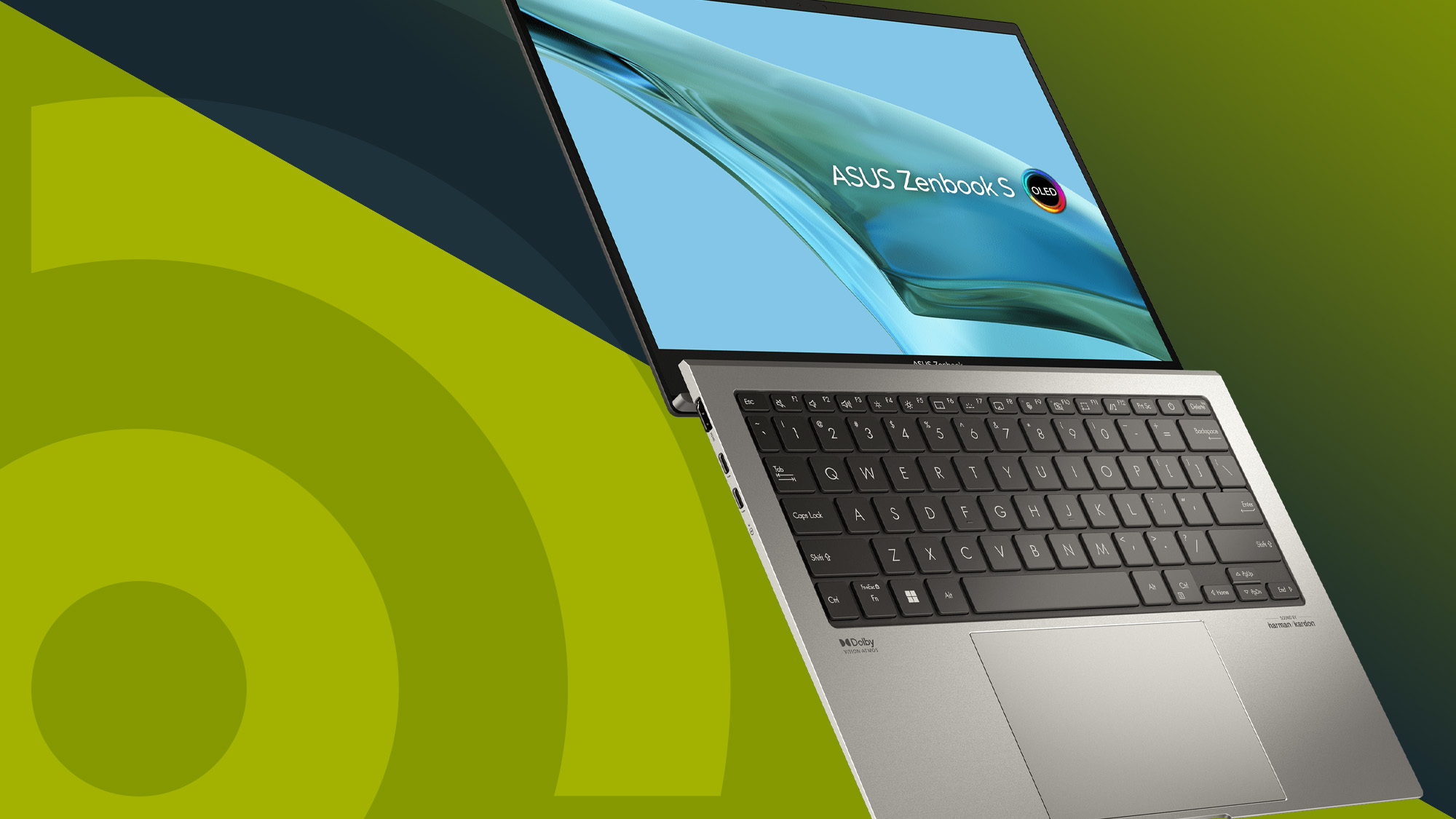
Best premium ultraportable: ASUS Zenbook S 14
The Zenbook S 14 is aimed at buyers who value a slim, lightweight laptop with a premium finish. It is a good option for frequent travellers, commuters and professionals who want a smart everyday machine without carrying a larger computer.
As with any thin laptop, consider how you plan to use it. A compact design is convenient, but it may offer fewer ports and less scope for sustained high-performance work than a thicker laptop. Check whether the model has the connections you need, or whether you will need a USB-C hub.
Best for gaming: ASUS ROG Zephyrus G14
The ROG Zephyrus G14 brings gaming performance to a relatively compact laptop. Depending on its configuration, it can also suit demanding creative applications such as 3D work and video editing. Its smaller size makes it easier to transport than many gaming laptops, although it is still heavier and less battery-friendly than a typical ultrabook.
Pay close attention to the graphics card and screen specifications. These have a major effect on gaming performance and price. If you mainly play less demanding games, you may not need the most powerful configuration. For graphically intensive games, compare independent reviews of the exact model and check its cooling, fan noise and performance under load.
Best for creative work: ASUS ProArt P16
The ProArt P16 is designed for creators who need more performance and a display suited to visual work. It can be worth considering for photo editing, video production, design and other demanding tasks, particularly when configured with a dedicated graphics card.
Before choosing one, check that its processor, graphics, memory and storage match the applications you use. Creative workloads can benefit from more memory and a larger SSD, while colour-sensitive work calls for a display with suitable colour coverage. If you work with large files, also look at the available ports and how easily you can connect external drives and monitors.
Best for a tighter budget: ASUS Vivobook Go 15
The Vivobook Go 15 is a straightforward option for everyday computing on a budget. It may suit web browsing, email, streaming, document editing and school or university tasks. A 15-inch screen can be more comfortable for working at a desk than a smaller display, though the laptop will take up more room in a bag.
Budget models can vary significantly in performance. Check the processor, memory and storage rather than relying on the family name alone. If you often multitask or want to keep the laptop for several years, choosing a configuration with more memory and storage can be worthwhile. For basic tasks, a lower-cost version may be perfectly adequate.
What to consider when buying an ASUS laptop
Choose the right size
For regular travel, a 13- or 14-inch laptop is usually easier to carry. A 15- or 16-inch model gives you more screen space and may be more comfortable for long working sessions, but it is less portable.
Match performance to your workload
Everyday browsing and office work do not require the same hardware as gaming, 3D design or video editing. For demanding applications, compare the processor and graphics card, and consider at least 16GB of memory. For lighter use, focus on value, battery life and a comfortable keyboard.
Think about the display
OLED screens can deliver striking contrast and vivid colour, while other display types may be a better fit for a lower price or particular working conditions. Consider screen size, resolution, brightness and reflections, especially if you work near windows or outdoors.
Check the ports and keyboard
Make sure the laptop has the connections you need for accessories, external displays and storage. If you can, try the keyboard and trackpad in person; comfort matters when you use a laptop for several hours a day.
Compare the exact model number
Specifications and features can vary within the same ASUS laptop range, and retailers may sell different configurations under similar names. Check the full model number, included charger, warranty details and return policy before ordering. Battery life also depends on the configuration and how the laptop is used, so look for reviews of the exact version you are considering.
Which ASUS laptop should you buy?
For a capable laptop that can handle everyday work and entertainment, start with the ASUS Zenbook 14 OLED. Choose the Zenbook S 14 if portability and a premium design are your priorities, the ROG Zephyrus G14 for gaming, or the ProArt P16 for creative workloads. If you mainly need a laptop for basic tasks and want to spend less, compare the available Vivobook Go 15 configurations.
The best ASUS laptop is ultimately the one that suits your budget and daily routine. Compare the full specifications—not just the product name—and check that the screen, memory, storage and connections meet your needs.
Top 9 Advantages of Choosing the Best ASUS Laptop
- Wide choice of models for different budgets
- Sharp, vibrant OLED display options
- Lightweight designs for easy travel
- Strong performance for everyday tasks
- Powerful gaming options in the ROG range
- Creator-focused models for demanding workloads
- Comfortable keyboards on many models
- Useful selection of ports on some models
- Configurations to suit work, study and entertainment
Considerations Before Buying an ASUS Laptop: 6 Potential Drawbacks
- Prices can be high on premium models.
- Budget models may have limited memory.
- OLED screens can use more battery.
- Gaming laptops can be heavy and noisy.
- Configurations vary between retailers.
- Some models have limited ports.
Wide choice of models for different budgets
One of the biggest advantages of ASUS laptops is the wide choice of models available for different budgets. From affordable Vivobook options for everyday browsing and study to premium Zenbooks, creative-focused ProArt laptops and high-performance ROG gaming machines, there’s a range to suit different needs and price points. This makes it easier to find an ASUS laptop with the features you want without paying for power or extras you may not need.
Sharp, vibrant OLED display options
Many of the best ASUS laptops are available with sharp, vibrant OLED displays, making everyday viewing feel more immersive. Deep blacks and rich colours bring films, photos and presentations to life, while crisp detail makes text and images clear. An OLED screen can be a particularly appealing feature for creative work and entertainment, although display quality and specifications vary between models.
Lightweight designs for easy travel
Many ASUS laptops are designed to be lightweight and easy to carry, making them a practical choice for commuting, travelling or moving between classes and meetings. Slim builds take up less space in a bag, while long battery life on selected models can help you stay productive on the go without constantly searching for a plug socket.
Strong performance for everyday tasks
ASUS laptops offer strong performance for everyday tasks such as browsing the web, writing documents, joining video calls and streaming films. Many models start quickly and handle several common applications at once, making them a practical choice for work, study or home use. For the best experience, choose a configuration with enough memory and storage for the way you use your laptop.
Powerful gaming options in the ROG range
ASUS’s ROG range offers powerful gaming options for players who want smooth performance in demanding titles. Selected models combine high-performance processors with dedicated graphics and fast, high-refresh-rate displays, making gameplay feel responsive and detailed. From portable machines to larger, more powerful gaming laptops, there are configurations to suit different needs and budgets. Compare the graphics card, cooling system and screen specifications before choosing, as performance varies between models.
Creator-focused models for demanding workloads
ASUS creator-focused laptops, such as models in the ProArt range, are built to handle demanding workloads like video editing, graphic design, 3D modelling and photo retouching. With powerful processors, dedicated graphics and options for generous memory and storage, they can keep resource-intensive projects running smoothly. Many also feature high-quality displays with vivid colours and fine detail, making it easier to work accurately and review creative projects.
Comfortable keyboards on many models
Many ASUS laptops feature comfortable keyboards that make everyday typing feel natural, whether you’re writing essays, replying to emails or working through a long report. Key travel and layout vary between models, so it’s worth checking reviews or trying a laptop in person to find the feel that suits you best.
Useful selection of ports on some models
Some ASUS laptops offer a useful selection of ports, making it easier to connect accessories without carrying a separate hub. Depending on the model, you may find USB-A and USB-C ports, HDMI for an external display, and a headphone socket. This flexibility is handy for everyday tasks, whether you’re plugging in a mouse, transferring files or connecting to a monitor. Check the specifications of the exact configuration, as port selection varies across the ASUS range.
Configurations to suit work, study and entertainment
One of the main advantages of choosing an ASUS laptop is the wide range of configurations available to suit work, study and entertainment. From lightweight models for taking notes or working on the move to higher-performance options for creative projects, streaming and gaming, there is a specification to match different needs and budgets. Buyers can compare screen sizes, processors, memory and storage to find a laptop that fits their everyday routine.
Prices can be high on premium models.
One drawback of ASUS’s best-performing laptops is that premium models can be expensive. High-end Zenbook, ROG and ProArt machines often include features such as OLED displays, powerful processors and dedicated graphics, but you may pay considerably more for them. If you mainly need a laptop for browsing, email and everyday office tasks, a more affordable model could offer better value. Compare specifications and prices carefully, and consider whether the premium features are genuinely useful for the way you work.
Budget models may have limited memory.
One drawback of some budget ASUS laptops is their limited memory, which can make multitasking feel sluggish. Having several browser tabs and applications open at once may slow performance, and the laptop may be less suitable for demanding tasks. Before buying, check the memory specification and consider a model with more RAM if you want smoother everyday use or plan to keep the laptop for several years.
OLED screens can use more battery.
One potential drawback of an ASUS laptop with an OLED screen is higher battery consumption, particularly when displaying bright content or running the screen at high brightness. This can mean less time between charges than with some laptops using other display types, so consider your typical usage and access to a power socket when choosing a model.
Gaming laptops can be heavy and noisy.
One drawback of ASUS gaming laptops is that they can be heavier and noisier than everyday models. Their powerful components and cooling systems add weight, while the fans may become loud during demanding games or other intensive tasks. This can make them less comfortable to carry around and distracting to use in quiet places.
Configurations vary between retailers.
One drawback of choosing an ASUS laptop is that configurations can vary between retailers, even when models have very similar names. Processor, memory, storage, screen and graphics specifications may differ, making it harder to compare prices or know exactly what you’re buying. Check the full model number and specification list before ordering, rather than relying on the product title alone.
Some models have limited ports.
One potential drawback of some ASUS laptops is their limited selection of ports, particularly on slimmer, more portable models. You may find there are not enough connections for devices such as a mouse, external monitor, USB drive and memory card reader at the same time. Check the ports on the exact model before buying; if it lacks the connections you need, you may have to carry a USB-C hub or adapter.