
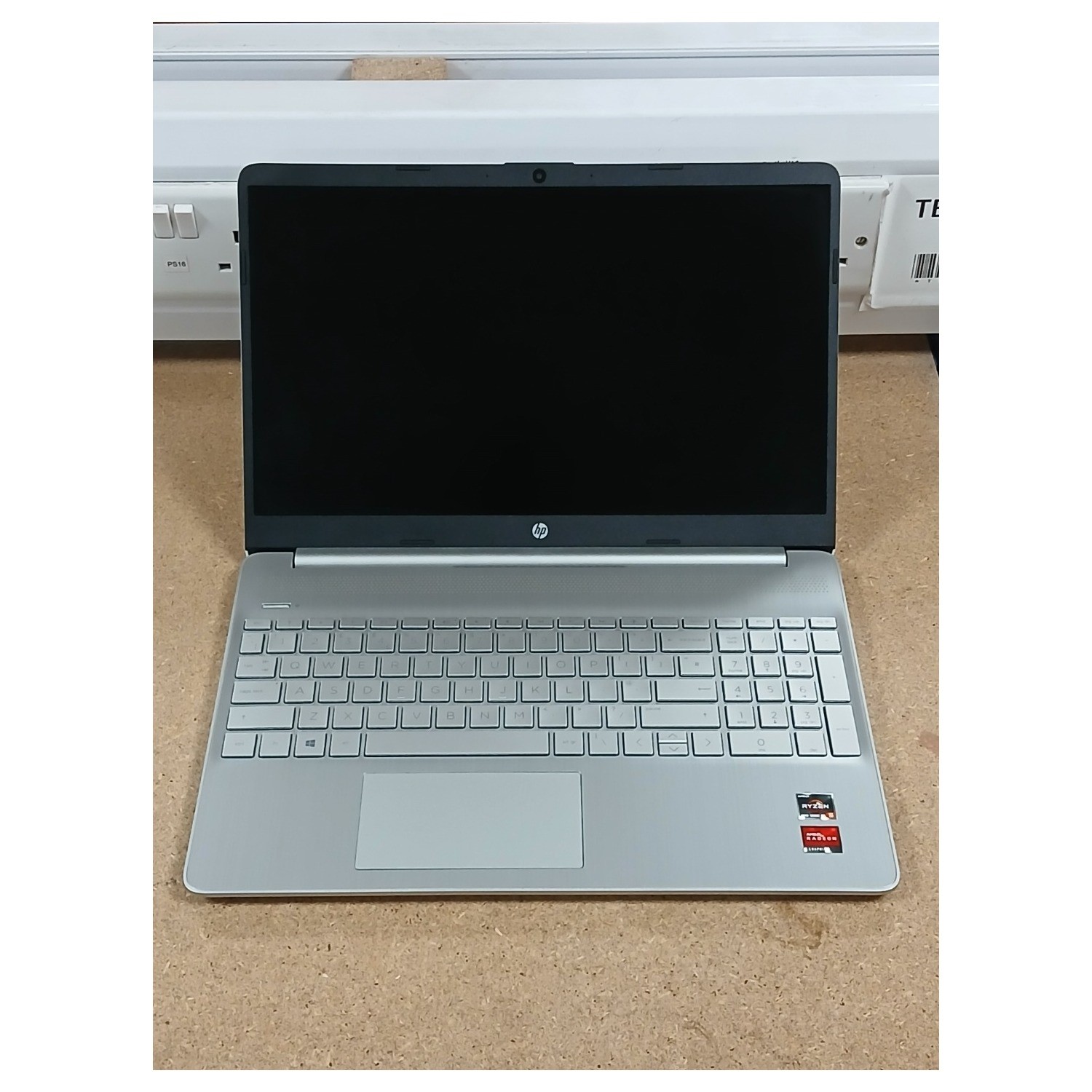
HP Laptop 15s: A Practical Guide for Everyday Computing
The HP Laptop 15s is a family of 15.6-inch laptops designed for everyday use. Depending on the exact model, it may suit students, home users and people who need a straightforward computer for work, browsing and entertainment. The name covers a range of configurations, so the processor, memory, storage, screen and other features can vary between versions.
What can you use an HP Laptop 15s for?
For common tasks such as browsing the web, checking email, writing documents, joining video calls and watching films, an HP Laptop 15s with a suitable modern processor and enough memory should be a practical choice. Some configurations may also handle light photo editing and basic creative work.
It is not a single-purpose gaming or professional workstation range. If you plan to run demanding creative software, play recent games or work with large datasets, check the specifications carefully. A model with a more capable processor, additional memory and dedicated graphics may be a better fit, although not every 15s configuration includes those features.
Screen and design
The 15.6-inch screen gives you more room for documents and web pages than a smaller laptop display. Many models have a Full HD resolution, but screen specifications can differ, so confirm the resolution and panel type before buying. If you often work outdoors or in bright rooms, look for reviews that discuss screen brightness and reflections.
The 15s is generally intended to be a practical everyday laptop rather than a premium, ultra-light device. Check the listed weight and dimensions if you expect to carry it regularly. The keyboard layout, number pad and available ports can also vary between models.
Performance and memory
HP has sold the Laptop 15s with different processors, including options from Intel and AMD. The processor name alone does not tell the whole story: generation, power limits and the rest of the configuration all affect performance. Compare the full model specifications rather than relying only on the “HP 15s” name.
Memory is particularly important if you keep many browser tabs open or use several applications at once. For a comfortable general-purpose experience, consider a configuration with at least 8GB of RAM; 16GB can offer more headroom for heavier multitasking. Memory may be upgradeable on some versions but not others, so check before purchase.
Storage and battery life
Many HP 15s models use solid-state storage, which can help the laptop start up and load applications quickly. Storage capacity varies, so think about how much space you need for documents, photos, downloads and applications. Cloud storage or an external drive can help if the built-in capacity is limited.
Battery life depends on the exact hardware, battery capacity, screen brightness and the way you use the laptop. Manufacturer figures are usually based on controlled tests and may differ from everyday results. If you need a full day away from a plug socket, look for independent reviews of the specific configuration you are considering.
What to check before buying
- Exact model number: “HP Laptop 15s” describes a family, not one fixed specification.
- Processor: Check the full processor name and generation against the work you plan to do.
- Memory: Confirm the amount installed and whether it can be upgraded.
- Screen: Check resolution, brightness and panel type.
- Storage: Make sure the capacity and drive type meet your needs.
- Ports and connectivity: Verify that it has the connections you need, such as USB, HDMI or a headphone socket.
- Operating system: Check which version of Windows is included and whether the laptop meets your software requirements.
- Keyboard and layout: Confirm that the listing specifies a UK keyboard if that is important to you.
- Warranty and returns: Review the seller’s terms, warranty cover and return policy.
Is the HP Laptop 15s a good choice?
The HP Laptop 15s can be a sensible option if you want a conventional 15.6-inch laptop for everyday computing. Its suitability depends on the particular configuration and the price you find. Compare the full specifications with other laptops in the same price range, and read reviews of the exact model rather than reviews of the 15s family as a whole.
For browsing, study and office tasks, prioritise a recent processor, adequate memory and an SSD. For demanding work or gaming, look for stronger graphics and more capable components. Taking a little time to check the model number and specifications can help ensure that the laptop matches your needs.
HP Laptop 15s FAQs: Specifications, Battery Life, Upgrades and UK Pricing
- What are the main specifications of the HP Laptop 15s?
- Is the HP Laptop 15s suitable for students and everyday use?
- How long does the battery last on an HP Laptop 15s?
- Can you upgrade the RAM or storage in an HP Laptop 15s?
- Does the HP Laptop 15s have a Full HD screen and a UK keyboard?
- How much does an HP Laptop 15s cost in the UK?
What are the main specifications of the HP Laptop 15s?
The HP Laptop 15s is a range of 15.6-inch laptops, so its specifications vary by model. Depending on the version, it may include an Intel or AMD processor, integrated graphics, 8GB or more of memory, and SSD storage. Screen resolution, battery capacity, ports and operating system can also differ. Check the exact model number and product listing to confirm the specifications before buying.
Is the HP Laptop 15s suitable for students and everyday use?
Yes, the HP Laptop 15s can be suitable for students and everyday use, including writing assignments, browsing the web, streaming videos and joining online classes. Its 15.6-inch screen offers plenty of room for study and general tasks, while performance, battery life and features vary by model. Before buying, check the exact specifications—particularly the processor, memory, storage and battery reviews—to make sure they meet your needs.
How long does the battery last on an HP Laptop 15s?
Battery life on an HP Laptop 15s varies by model and how you use it. Screen brightness, video calls, streaming, demanding applications and Wi-Fi use can all affect how long it lasts between charges. HP’s quoted battery-life figures are based on specific test conditions, so everyday results may be lower. Check the specifications and independent reviews for the exact model you’re considering for the most useful estimate.
Can you upgrade the RAM or storage in an HP Laptop 15s?
Whether you can upgrade the RAM or storage in an HP Laptop 15s depends on the exact model, as specifications vary across the range. Some versions have replaceable memory or an accessible SSD, while others may have RAM soldered to the motherboard or different upgrade limitations. Check the laptop’s full model number and HP’s maintenance and service guide before buying parts or opening the case; this will show what can be upgraded and which components are compatible.
Does the HP Laptop 15s have a Full HD screen and a UK keyboard?
It depends on the exact HP Laptop 15s model: some versions have a Full HD (1920 × 1080) screen, while others may have different display specifications. Keyboard layouts can also vary by retailer and configuration, so check the product listing to confirm that it has a UK keyboard before buying.
How much does an HP Laptop 15s cost in the UK?
The price of an HP Laptop 15s in the UK depends on its processor, memory, storage and the retailer. New or discounted models may typically cost around £300 to £600, while refurbished or older versions can be cheaper. Check the exact model number and compare current prices, warranty cover and delivery costs before buying, as specifications and offers vary.