
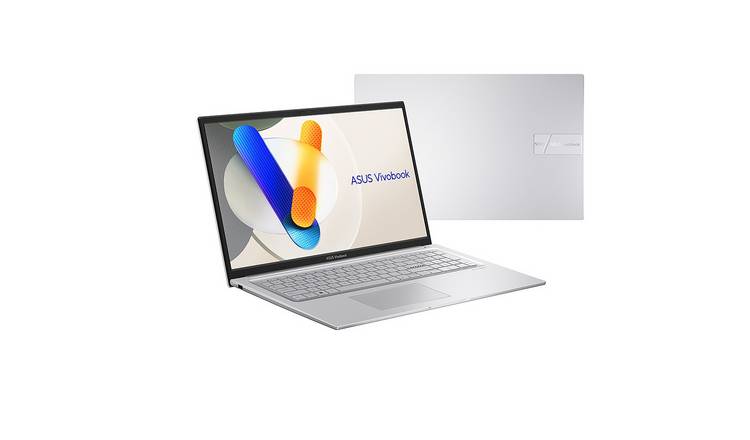
ASUS i5 Laptop: What to Look For Before You Buy
An ASUS i5 laptop can be a practical choice for everyday computing, study and office work. ASUS offers laptops in several ranges, from lightweight models for commuting to larger machines designed for gaming or creative tasks. The right option depends on more than the words “Core i5”: the processor’s generation, memory, storage, screen and battery life all affect how a laptop performs.
What does “i5” mean?
Intel Core i5 is a family of processors found in many laptops. It generally sits between entry-level and higher-performance options, but models can vary considerably. A newer i5 may offer better performance and efficiency than an older one, so check the full processor model and generation rather than relying on “i5” alone.
For typical tasks such as browsing, video calls, writing documents and streaming, many recent Core i5 laptops should be suitable. More demanding work—such as video editing, 3D design or modern gaming—may require additional memory, a stronger graphics processor or a higher-performance laptop.
ASUS laptop ranges
- ASUS VivoBook: A broad range of everyday laptops, often aimed at home, school and general office use.
- ASUS Zenbook: Usually focused on slim designs, portability and premium features. Check the exact model for its screen, ports and upgrade options.
- ASUS ExpertBook: Designed primarily for business use, with features that can vary by model, such as security options and business-friendly connectivity.
- ASUS TUF Gaming: Built for gaming and other graphics-intensive tasks. These models may be heavier and have shorter battery life during demanding use.
Names and specifications change over time, so compare the full model number and configuration before making a decision.
Key specifications to compare
Memory
RAM helps a laptop manage several apps and browser tabs at once. For everyday use, 8GB may be adequate, while 16GB can provide more headroom for multitasking and demanding applications. Check whether the memory can be upgraded: some thin laptops have RAM soldered to the motherboard.
Storage
An SSD generally makes a laptop feel more responsive than an older mechanical hard drive. Consider how much space is needed for applications, documents, photos and games. A 512GB SSD is a useful middle ground for many people, although storage needs vary. Cloud storage or an external drive can help if local space is limited.
Display
Screen size is a trade-off between portability and workspace. A 13- or 14-inch laptop is often easier to carry, while a 15- or 16-inch screen can be more comfortable for working at a desk. Check the resolution, brightness, screen finish and viewing angles. A higher-resolution display can look sharper, but may also use more power.
Battery life and weight
Manufacturers’ battery-life figures are usually based on specific test conditions and may not match everyday use. Screen brightness, video calls, Wi-Fi and demanding software can all affect battery life. If the laptop will be carried regularly, check its weight as well as its quoted battery performance.
Ports and connectivity
Review the available connections before buying. Depending on the model, an ASUS laptop may include USB-A, USB-C, HDMI, an audio socket or a memory-card reader. USB-C features can differ, so check whether a port supports charging, display output or fast data transfer if those functions matter.
Is an ASUS i5 laptop right for you?
A recent ASUS Core i5 laptop can suit students, home users and professionals who need a responsive computer for everyday tasks. It may also handle light photo editing and moderate multitasking, depending on its memory, cooling and graphics hardware. For gaming, specialist design software or extensive video editing, compare the graphics processor and cooling system carefully; the i5 label alone does not indicate how well a laptop will handle those workloads.
Buying tips
- Compare the full processor model, not just the Core i5 name.
- Check RAM and SSD capacity, and whether either can be upgraded.
- Look at the exact screen specification, not only its size.
- Read independent reviews for details on keyboard comfort, fan noise and real-world battery life.
- Compare the same configuration across retailers, including warranty and returns terms.
- For a refurbished laptop, check its condition, battery health and the length of the warranty.
Conclusion
An ASUS i5 laptop can offer a good balance of performance and versatility, but the best model depends on how it will be used. Comparing the processor generation, memory, storage, display and portability will give a clearer picture than the processor name alone. With those details in mind, it is easier to find an ASUS laptop that fits both your needs and budget.
ASUS i5 Laptops: Frequently Asked Questions
- Which ASUS i5 laptop is best for everyday use?
- Is an ASUS i5 laptop suitable for gaming?
- How much RAM and storage should I choose for an ASUS i5 laptop?
- What is the difference between ASUS VivoBook, Zenbook and ExpertBook i5 laptops?
- How can I check the processor generation and specifications of an ASUS i5 laptop?
Which ASUS i5 laptop is best for everyday use?
For everyday use, an ASUS VivoBook with a recent Intel Core i5 processor is often a sensible choice, offering enough performance for browsing, emails, video calls, streaming and office tasks. Look for a model with at least 8GB of RAM and a 512GB SSD for a smooth, practical experience; 16GB of RAM is worth considering if you regularly multitask. The best option will depend on your budget and preferences, so compare the screen, battery life, weight and ports, and check the exact specifications of each model before buying.
Is an ASUS i5 laptop suitable for gaming?
An ASUS i5 laptop can be suitable for casual gaming, but performance depends more on the specific model and its graphics hardware than on the Core i5 processor alone. Models with a dedicated graphics card are generally better suited to modern games, while laptops using integrated graphics are best for lighter titles and lower settings. Check the game’s system requirements, as well as the laptop’s cooling, memory and display, before buying.
How much RAM and storage should I choose for an ASUS i5 laptop?
For an ASUS i5 laptop, 8GB of RAM is generally enough for everyday tasks such as browsing, email and document work, while 16GB is a better choice for multitasking, heavier applications and keeping the laptop useful for longer. For storage, a 512GB SSD suits many users, offering space for apps and files while keeping the laptop responsive; choose 256GB for lighter use or 1TB if you store large files, games or creative projects. Check whether the RAM and storage can be upgraded, as this varies between models.
What is the difference between ASUS VivoBook, Zenbook and ExpertBook i5 laptops?
ASUS VivoBook, Zenbook and ExpertBook i5 laptops are designed for different needs. VivoBook models are generally aimed at everyday use, such as browsing, studying and home or office tasks, often offering a range of features at different prices. Zenbooks typically focus on a slimmer, lighter design and a more premium feel, making them a good option for people who value portability. ExpertBooks are primarily designed for business users, with some models offering business-focused security, connectivity and support features. Specifications vary within each range, so compare the exact model’s processor, memory, storage, screen and ports before buying.
How can I check the processor generation and specifications of an ASUS i5 laptop?
To check the processor generation and specifications of an ASUS i5 laptop, open Settings > System > About in Windows and look under “Device specifications” for the processor’s full name and model number. You can also press Ctrl + Shift + Esc, select Performance, then CPU in Task Manager. The full model name usually includes a number that helps identify its generation, although Intel’s naming varies by processor series. For the most reliable details, search the model number on Intel’s website or check the laptop’s product page on ASUS’s website.