
HP Chromebook Laptops: A Practical Guide for Everyday Use
An HP Chromebook laptop combines HP hardware with Google’s ChromeOS operating system. Designed primarily for internet-based tasks, Chromebooks are popular with students, home users and anyone who wants a straightforward laptop for browsing, email, video calls and office work.
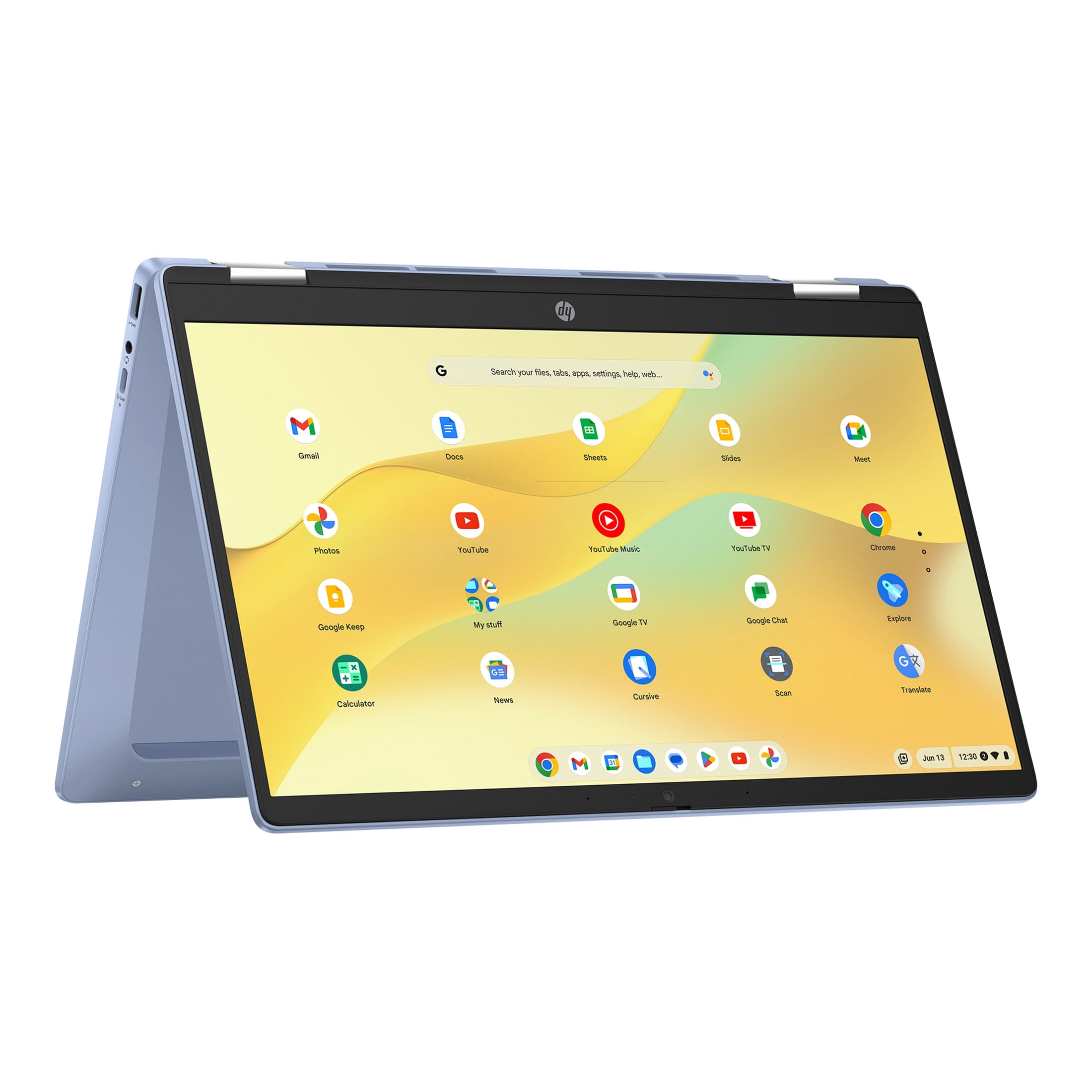
HP offers Chromebooks in a range of sizes and configurations. Depending on the model, you may find a compact laptop for carrying between classes, a larger screen for home use, or a convertible device with a touchscreen and a hinge that folds back for tablet-style use. Specifications and features vary, so it is worth checking the details of each model before buying.
What can you do with an HP Chromebook?
Chromebooks are built around ChromeOS, which works closely with Google services. You can use the Chrome browser, access Google Drive and edit documents with Google Docs, Sheets and Slides. Many models also support Android apps from the Google Play Store, although app availability and compatibility can differ.
An HP Chromebook can be a good fit for:
- Browsing websites and keeping up with email
- Writing documents, preparing presentations and working with spreadsheets
- Taking part in video calls and online lessons
- Streaming films, television and music
- Completing school, college or everyday admin tasks
Some work can be done offline, including editing certain downloaded files, but many Chromebook features rely on an internet connection. If you regularly use specialist desktop software or need to work with demanding creative applications, check that the programmes you depend on are available for ChromeOS or have a suitable web-based alternative.
Features to look for
Screen size and design
A smaller screen can make a Chromebook easier to carry, while a larger display may be more comfortable for long documents and watching video. If you want to draw, take notes by hand or use touch-friendly apps, consider a touchscreen model. Some HP Chromebooks have a convertible design, but not every model folds into tablet mode.
Performance and memory
For browsing, streaming and basic productivity, an entry-level Chromebook may be sufficient. If you often keep many tabs open, use several apps at once or work with larger files, look closely at the processor and memory. More demanding tasks generally benefit from stronger specifications.
Storage
Chromebooks often use cloud storage, which can reduce the need for a large internal drive. However, local storage is useful if you download films, keep lots of files on the laptop or need to work without internet access. Check the storage capacity and whether it meets your habits.
Battery life and portability
Battery life varies by model and depends on factors such as screen brightness, apps and network use. If you plan to take your laptop out for the day, compare the manufacturer’s battery estimate with independent reviews and consider the device’s weight and charger size.
Ports and connectivity
Check which connections are included, such as USB-A, USB-C, a headphone socket or a microSD card reader. The right selection can make it easier to connect accessories, external displays and storage without carrying extra adapters.
Advantages of an HP Chromebook
- Simple to use: ChromeOS has a clean interface and is designed to make common online tasks easy to access.
- Useful for web-based work: Google Workspace and many popular services run in the browser.
- Choice of designs: HP models may include different screen sizes, touchscreen options and convertible formats.
- Automatic updates: ChromeOS updates are designed to happen in the background, helping keep the system current.
- Good for everyday tasks: Many users do not need a traditional Windows laptop for browsing, documents and streaming.
Things to consider before buying
A Chromebook is not simply a lower-cost version of every other laptop. It runs ChromeOS rather than Windows, so software compatibility should be a key part of your decision. Check whether your workplace, course or preferred apps require a particular operating system.
Also consider how often you work offline, how much storage you need and whether you want a touchscreen. Compare the exact specifications of the HP models you are considering: two laptops with similar names can differ in screen quality, memory, storage and connectivity.
Is an HP Chromebook right for you?
An HP Chromebook may suit you if most of your computing happens online and you want a laptop for everyday browsing, study, communication and entertainment. It can also be a practical choice for families looking for a device for shared home use.
If you rely on Windows-only applications, specialised professional software or demanding games, a Windows laptop may be a better match. Before making a decision, list the tasks you need the laptop to handle and confirm that ChromeOS supports them.
Frequently asked questions
Can an HP Chromebook run Microsoft Office?
You can use Microsoft 365 in a web browser, and some Chromebooks may support compatible Android apps. Available features can vary, so check whether the version you need works on ChromeOS before purchasing.
Can you use an HP Chromebook without the internet?
Some features and files can be used offline if they have been set up or downloaded in advance. Other services require an internet connection, so a Chromebook may be less convenient if you frequently work somewhere without reliable access.
Can an HP Chromebook be used for school?
It can be suitable for online lessons, research, writing and other common school tasks. Check your school’s requirements first, particularly if it specifies certain software or a particular operating system.
Final thoughts
HP Chromebook laptops offer a range of options for people who mainly use web-based services and want a straightforward device for everyday computing. The best model depends on your budget, preferred screen size and the tasks you need to complete. Compare the specifications carefully and make sure ChromeOS supports the apps and services you rely on.
9 Benefits of HP Chromebook Laptops for Everyday Use
- Easy-to-use ChromeOS
- Quick start-up
- Automatic software updates
- Great for web browsing
- Ideal for Google apps
- Lightweight options available
- Good for everyday tasks
- Touchscreen models available
- Variety of sizes and designs
Five Drawbacks of HP Chromebook Laptops
- Limited support for some Windows software
- Many features work best with internet access
- Entry-level models can feel slow with many tabs open
- Storage may be limited
- Not ideal for demanding games or creative work
Easy-to-use ChromeOS
One of the key advantages of an HP Chromebook laptop is its easy-to-use ChromeOS operating system. With a clean, straightforward interface, it’s simple to get online, open apps and manage everyday tasks, even if you’re new to Chromebooks. Automatic updates help keep the system current, while built-in integration with Google services makes it easy to access documents, email and files across devices.
Quick start-up
HP Chromebook laptops are designed to get you up and running quickly, with ChromeOS typically starting in just a few seconds. That means less time waiting and more time getting on with everyday tasks, whether you’re checking emails, joining an online lesson or opening a document.
Automatic software updates
HP Chromebook laptops receive automatic software updates, helping keep ChromeOS current without requiring you to manage the process yourself. Updates are designed to install in the background, so you can benefit from the latest features and security improvements with minimal disruption. Exact update support depends on the model, so check its update end date before buying.
Great for web browsing
HP Chromebook laptops are great for web browsing, with ChromeOS and the Chrome browser working together to make it quick and easy to visit websites, manage tabs and access online services. Whether you’re catching up on the news, shopping, streaming or checking email, a Chromebook offers a straightforward browsing experience that’s well suited to everyday use.
Ideal for Google apps
HP Chromebook laptops are ideal for Google apps, with ChromeOS designed to work seamlessly with services such as Gmail, Google Drive, Docs, Sheets and Meet. Sign in to your Google Account to access your files and settings, and get started quickly with familiar tools for study, work and everyday tasks.
Lightweight options available
Many HP Chromebook laptops are designed to be lightweight and easy to carry, making them a convenient choice for commuting, travelling or moving between classes and meetings. A compact model can slip into a bag without adding much weight, while still providing the essentials for browsing, writing and other everyday tasks.
Good for everyday tasks
HP Chromebook laptops are well suited to everyday tasks such as browsing the web, checking emails, joining video calls, streaming programmes and working on documents. ChromeOS is designed to make these activities straightforward, while access to web-based tools such as Google Docs makes it easy to write, edit and share files. For users who mainly need a laptop for routine home, study or work tasks, an HP Chromebook can be a practical choice.
Touchscreen models available
Some HP Chromebook laptops are available with a touchscreen, making it easy to tap, swipe and scroll through apps and web pages. This can feel more natural for browsing, taking notes or navigating touch-friendly apps, while selected convertible models can fold back for a more tablet-like experience. Check the individual model’s specifications, as touchscreen support is not available on every HP Chromebook.
Variety of sizes and designs
HP Chromebook laptops are available in a variety of sizes and designs, making it easier to choose a model that suits your needs. A compact, lightweight Chromebook can be convenient for commuting or taking to class, while a larger screen may be more comfortable for working at home. Some models also feature touchscreens or convertible hinges, allowing you to use the device in different ways for work, study and entertainment.
Limited support for some Windows software
One drawback of an HP Chromebook laptop is its limited support for some Windows software. ChromeOS cannot run many Windows programmes directly, including certain specialist work, study and creative applications. Web-based alternatives or Android apps may be available, but they might not include all the same features. Before buying, check that the software you rely on is compatible with ChromeOS.
Many features work best with internet access
One drawback of an HP Chromebook is that many of its features work best with an internet connection. Web apps, cloud storage and online services may be limited when you’re offline, so you might not be able to access files or complete tasks as easily. Some apps and documents can be made available offline, but it’s worth checking what you’ll need before relying on a Chromebook somewhere with unreliable internet.
Entry-level models can feel slow with many tabs open
One drawback of entry-level HP Chromebook laptops is that performance can feel sluggish when several browser tabs are open at once. Switching between pages or running multiple apps may take longer, particularly on models with limited memory or a less powerful processor. If you regularly multitask, consider a Chromebook with higher specifications.
Storage may be limited
One potential drawback of an HP Chromebook laptop is its limited storage. Many models are designed to store files online, so the built-in space may be modest compared with that of some traditional laptops. This can become restrictive if you keep lots of photos, videos, downloads or documents on your device. Before buying, check the storage capacity and consider whether cloud storage or an external drive will meet your needs.
Not ideal for demanding games or creative work
HP Chromebook laptops are generally designed for everyday tasks rather than demanding games or intensive creative work. Their hardware and ChromeOS may not support the latest PC games or specialist desktop software for video editing, 3D design and music production. While browser-based tools and lighter apps can handle some creative projects, check that your essential programmes and games are compatible before choosing a Chromebook.