
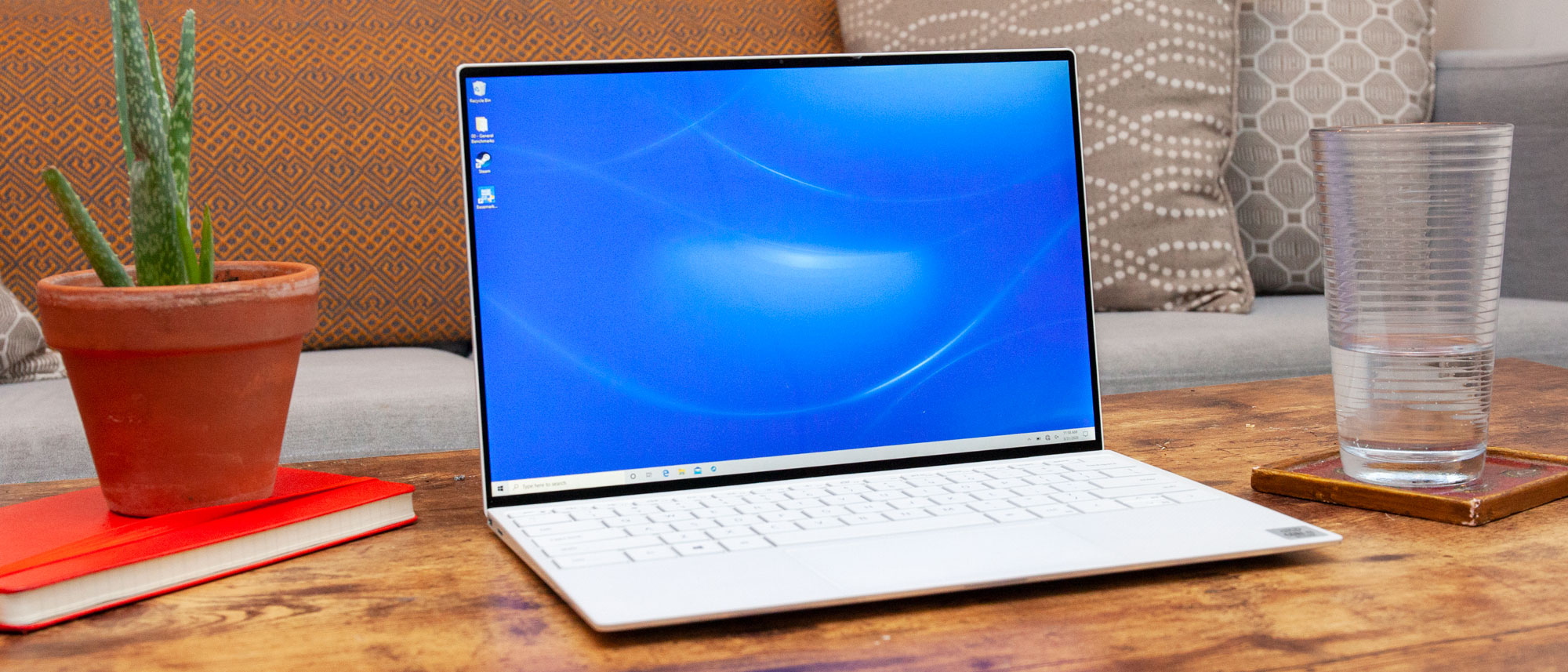
Dell XPS 13 Laptop: A Compact Laptop for Work and Everyday Use
The Dell XPS 13 is a premium, lightweight laptop designed for people who want a portable computer for work, study and everyday tasks. Its compact size makes it easy to carry between home, the office and university, while its refined design and high-resolution display give it a more premium feel than many standard laptops.
There have been several generations of the XPS 13, and specifications vary between models. If you are considering buying one, check the exact model year and configuration rather than assuming every XPS 13 has the same processor, screen or ports.
Design and portability
Portability is one of the XPS 13’s main attractions. The slim chassis and relatively low weight make it a practical choice for commuting or travelling. Its understated styling also suits a range of settings, from a workplace to a lecture theatre.
The compact design does involve some trade-offs. Depending on the generation, the laptop may have a limited selection of physical connections, so you might need an adapter or USB-C hub for accessories such as external displays, USB-A devices or memory cards. Check the ports on the specific model before purchasing.
Display and everyday performance
XPS 13 models have been sold with different display options, including standard-resolution and higher-resolution screens. A sharper display can be useful for reading, photo work and watching films, but it may also affect battery life. Touchscreen availability and other display features depend on the configuration.
For everyday tasks such as web browsing, email, office applications and video calls, many XPS 13 configurations offer a responsive experience. More demanding work—such as editing large video projects, running specialist software or playing graphically intensive games—may call for a laptop with more powerful cooling and graphics hardware. Compare the processor, memory and storage in the exact configuration you are considering.
Keyboard, trackpad and video calls
A laptop’s keyboard and trackpad matter if you use it for long stretches. The XPS 13’s keyboard is designed for regular typing, while its large trackpad supports everyday navigation without a separate mouse. The look and feel of these features can differ between generations, so it is worth trying a model in person if you have the opportunity.
Webcam quality, microphone performance and speaker output can also vary. If you rely on video meetings, check reviews of the particular generation and configuration, especially if the camera is important for work or study.
Battery life
Battery life depends on the model, battery condition, screen option, workload and settings. A laptop may last much longer during light browsing than during video calls or demanding applications. When comparing claims, look for independent testing and consider how closely the test conditions match the way you plan to use the laptop.
If buying a used or refurbished XPS 13, ask about battery health and whether the battery has been replaced. A worn battery can make an otherwise capable laptop less convenient when you are away from a power socket.
What to check before buying
- Model and generation: Confirm the full model name and year, as design and specifications change over time.
- Processor and memory: Choose a configuration suited to your usual workload. More memory can be helpful for multitasking.
- Storage: Check the capacity and type of storage, particularly if you keep large files or work offline.
- Display: Compare resolution, brightness, touch support and finish.
- Ports: Make sure the available connections suit your accessories, or budget for an adapter.
- Condition and warranty: For refurbished or second-hand laptops, check the return policy, warranty, battery health and cosmetic condition.
- Price: Compare equivalent configurations, rather than comparing laptops by name alone.
Is the Dell XPS 13 right for you?
The XPS 13 is worth considering if you want a compact, premium laptop for everyday productivity, browsing and travel. Its portability and polished design are appealing, but the best choice depends on the generation and specification. Buyers who need a wide range of ports, sustained performance for demanding creative work or extensive gaming may prefer a larger laptop with more room for cooling and connections.
Before making a decision, compare the exact XPS 13 configuration with similarly priced alternatives and check independent reviews. That will help you find a model that fits your needs, whether you are buying new, refurbished or second-hand.
Dell XPS 13: 7 Frequently Asked Questions for UK Buyers
- What is the Dell XPS 13 laptop best suited for?
- How much does a Dell XPS 13 laptop cost in the UK?
- How long does the battery last on a Dell XPS 13?
- Is the Dell XPS 13 good for students and work?
- Can you upgrade the RAM or storage in a Dell XPS 13?
- What ports are available on the Dell XPS 13?
- Which Dell XPS 13 model or generation should I buy?
What is the Dell XPS 13 laptop best suited for?
The Dell XPS 13 is best suited to people who want a lightweight, premium laptop for everyday productivity, such as browsing the web, writing, studying, working with documents and joining video calls. Its compact design makes it convenient for commuting and travel, while performance varies by model and configuration. For intensive gaming, demanding creative work or a wide range of built-in ports, a larger or more specialised laptop may be a better fit.
How much does a Dell XPS 13 laptop cost in the UK?
The cost of a Dell XPS 13 in the UK varies by model year, specification and retailer. As a guide, new models often cost around £1,000–£1,800, with higher-specification versions sometimes priced above that; older, refurbished or second-hand models may be available for roughly £300–£900. Check current retailer prices and compare the processor, memory, storage and display, as these can make a significant difference to the value.
How long does the battery last on a Dell XPS 13?
Battery life on a Dell XPS 13 varies by model, screen configuration, battery condition and how you use it. Light tasks such as browsing and writing may last much longer than video calls or demanding applications, while a high-resolution display can use more power. Check independent tests for the exact model you’re considering, and if buying second-hand, ask about the battery’s health.
Is the Dell XPS 13 good for students and work?
Yes, the Dell XPS 13 can be a good choice for students and work, thanks to its lightweight, compact design and capable performance for everyday tasks such as writing, research, video calls and office applications. Its premium build and portable size make it easy to carry between home, the office and lectures. However, specifications vary by model, so check the processor, memory, battery condition and available ports before buying. For demanding creative work or gaming, a more powerful laptop may be a better fit.
Can you upgrade the RAM or storage in a Dell XPS 13?
In most Dell XPS 13 models, the RAM is soldered to the motherboard, so it cannot be upgraded after purchase; choose enough memory for your needs when buying. Storage may be upgradeable, as many models use a replaceable M.2 SSD, but this varies by generation and configuration. Check the service manual for your exact model before opening the laptop, and bear in mind that replacing parts yourself may affect warranty coverage.
What ports are available on the Dell XPS 13?
The ports on a Dell XPS 13 vary by model and year. Many recent versions offer two USB-C ports with Thunderbolt 4, which can support charging, data transfer and external displays; some models also include a headphone socket. Older XPS 13 laptops may have USB-A, a microSD card reader or other connections. Check the specifications for the exact model, and consider a USB-C hub or adapter if you need additional ports.
Which Dell XPS 13 model or generation should I buy?
The best Dell XPS 13 model depends on your budget and how you plan to use it. Newer generations generally offer more recent processors and updated features, while an older or refurbished model may provide better value for everyday tasks such as browsing, email and office work. Compare the exact processor, memory, storage, screen, ports, battery condition and warranty, as specifications can vary even within the same generation. For demanding work, prioritise a configuration with enough memory and processing power; for travel and general use, portability and battery condition may matter more. Check independent reviews and compare like-for-like prices before buying.